


Sporistics
Tutorial - How To Freeze Crea's / Analysis

By SuporeMaster
03/09/2011 - 15:29:49
Type: No genre adventure
Rating: 0 (Not rated)
Featuring...


Basic info
Avatar
Intro message:
This is a tutorial how to disguise a gate like a creature. Read all the things, and you'll be a disguise master!
This is a tutorial how to disguise a gate like a creature. Read all the things, and you'll be a disguise master!
Win message:
So, do you know how to do it? This is my first tutorial, so please rate!
So, do you know how to do it? This is my first tutorial, so please rate!
Lose message:
WHAT?! HOW...
WHAT?! HOW...
Acts
ACT 1 : Well...
Let's start with number 1...1. Take a gate (now it's a blue one), and press: 'Disguise like' or something. Move to the gate when you're ready for the next step.
Let's start with number 1...1. Take a gate (now it's a blue one), and press: 'Disguise like' or something. Move to the gate when you're ready for the next step.
ACT 2 : Step 2
Edit a building/vehicle. That doesn't matter. Press: 'SporePedia' (left in the lowest corner). On the right you see how it looks.Move to SporePedia to continue.
Edit a building/vehicle. That doesn't matter. Press: 'SporePedia' (left in the lowest corner). On the right you see how it looks.Move to SporePedia to continue.
ACT 3 : Step 3
Well, now you have to see a list of many crea's. Press: 'All'. On the left you see how it look like. Now edit a creature and press: 'OK'! That's all!Move to: 'All' to continue.
Well, now you have to see a list of many crea's. Press: 'All'. On the left you see how it look like. Now edit a creature and press: 'OK'! That's all!Move to: 'All' to continue.
ACT 4 : E Voilá!
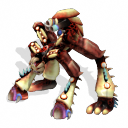
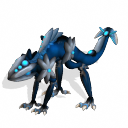
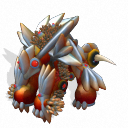
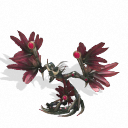
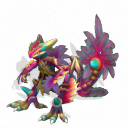
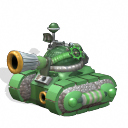
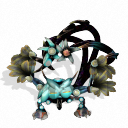
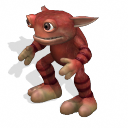
These are exapels of the result. These are all mine. Look around and have fun!Beam up when you're done.
These are exapels of the result. These are all mine. Look around and have fun!Beam up when you're done.
Contact us at
